To contact us Click HERE
John T. Spencer (@johntspencer)
What should an administrator look for when hiring a 21st Century teacher?
Humility.
If a teacher can't use an iPod or an iPad or a Chromebook or a laptop, that's okay. A humble teacher can ask for help from fellow teachers, from students and from folks online.
If a teacher doesn't quite get project-based learning, that's okay. A humble teacher will watch and listen and be open to the major paradigm changes required to pull of a PBL framework.
If a teacher hasn't heard of connected learning and has never developed a personal learning network, that's okay. A humble teacher will learn to use Twitter and blogs and Facebook and whatever tools are necessary to learn. In an echo chamber of "I have an idea," that teacher just might say, "I have a question."
I'm not suggesting that administrators should deliberately search for unqualified candidates. Often, the most humble teachers have already done amazing things. Still, humility is the gateway to innovation and growth and sustainability. Humility works paradoxically to bring about greatness. Humility enables empathy and communication and collaboration that goes beyond the structures implemented by a school.
I'm not sure how you find humble teachers. I'm not sure there is a test for it. I'm not sure you can find it in an interview. It certainly isn't a feature on a resume. However, if I was an administrator, I would try my hardest to recruit and retain humble teachers.
John T. Spencer is a teacher in Phoenix, AZ who blogs at Education Rethink. He recently finished Pencil Me In, an allegory for educational technology and A Sustainable Start, a book for new teachers. He also wrote the reform-minded memoirs Teaching Unmasked: A Humble Alternative to Waiting For a Superhero and Sages and Lunatics. He has written two young adult novels Drawn Into Danger and A Wall for Zombies. You can connect with him on Twitter @johntspencer
13 Ekim 2012 Cumartesi

Why I Suck at Twitter
To contact us Click HERE
by John T. Spencer (johntspencer)
I just read an article by Beth Still ("Ten Surfire Ways to Destroy Your Twitter Cred") in Learning and Leading with Technology. While I agree with most of her advice regarding Twitter etiquette, I found myself thinking, "I kind-of suck at Twitter." As I read the top ten list, I found myself thinking, "Oh, that's me."
#3: Tweeting about all of your interests from one Twitter account
I tweet about my world. Often this is education, but I have no idea tweeting jokes about language, thoughts about sports, commentary on local events or satire about suburbia. Sometimes I let my interests combine (which was the case with the tweets I wrote about #jesusasateacher). I see the rationale for keeping these worlds separate. But I need to be a little more holistic. I respect people who can manage multiple accounts and really focus on a special interest. However, that's not me.
#6: Using slang and text lingo
Guilty. I agree with Beth on this one, but still I use IMHO and I bust out the emoticons way too often ;) Twitter belongs in the common vernacular. Sometimes it's fun to play with formal, poetic language. Other times, it's fun to be very casual. I like the surprise and flexibility of Twitter.
#9: Snarkiness
Some of my favorite tweets from others have a snarky edge to them. When I look back at it, #pencilchat was slightly snarky. I'm pretty sure my #vintageISTE tweets also a bit snarky (writing about how the Oregon Trail would save education).
I don't have much Klout and I admit that I don't have anywhere near as many followers as many educational bloggers. I'm pretty sure that some of my tweets have stretched the boundaries of professionally.
And yet . . .
A little bit of snark, a somewhat casual approach and a sense of variety have allowed me to be myself online. I've made friends by being myself. I've engaged in some meaningful dialogue when breaking the rules (the PLC conversations come to mind here).
I just read an article by Beth Still ("Ten Surfire Ways to Destroy Your Twitter Cred") in Learning and Leading with Technology. While I agree with most of her advice regarding Twitter etiquette, I found myself thinking, "I kind-of suck at Twitter." As I read the top ten list, I found myself thinking, "Oh, that's me."
#3: Tweeting about all of your interests from one Twitter account
I tweet about my world. Often this is education, but I have no idea tweeting jokes about language, thoughts about sports, commentary on local events or satire about suburbia. Sometimes I let my interests combine (which was the case with the tweets I wrote about #jesusasateacher). I see the rationale for keeping these worlds separate. But I need to be a little more holistic. I respect people who can manage multiple accounts and really focus on a special interest. However, that's not me.
#6: Using slang and text lingo
Guilty. I agree with Beth on this one, but still I use IMHO and I bust out the emoticons way too often ;) Twitter belongs in the common vernacular. Sometimes it's fun to play with formal, poetic language. Other times, it's fun to be very casual. I like the surprise and flexibility of Twitter.
#9: Snarkiness
Some of my favorite tweets from others have a snarky edge to them. When I look back at it, #pencilchat was slightly snarky. I'm pretty sure my #vintageISTE tweets also a bit snarky (writing about how the Oregon Trail would save education).
I don't have much Klout and I admit that I don't have anywhere near as many followers as many educational bloggers. I'm pretty sure that some of my tweets have stretched the boundaries of professionally.
And yet . . .
A little bit of snark, a somewhat casual approach and a sense of variety have allowed me to be myself online. I've made friends by being myself. I've engaged in some meaningful dialogue when breaking the rules (the PLC conversations come to mind here).
Edutopia: on 'How Did School Do?'
To contact us Click HERE
by Shelly Blake-Plock
Edutopia published a guest post of mine today about the 'How Did School Do' project. Here's a snippet...
Edutopia published a guest post of mine today about the 'How Did School Do' project. Here's a snippet...
It wasn’t long ago that language arts teacher Wheeler and his Lakewood City School District biology-teaching colleague Ken Kozar –- along with a class of eager 10th graders –- realized that certain questions weren’t being asked online. And one question above all resonated with teacher and student alike: How did school do?Read the whole article at Edutopia.
We Can't Define Social Media
To contact us Click HERE
by John T. Spencer
Educators clamor for open access to social media in schools. We (including me) write about the need to teach digital citizenship to the digital natives. And yet . . . how do we even define social media? I witnessed many metaphors yesterday and each one of them seemed to suggest that we are attempting to find things in our physical world in order to make sense out of the digital.
I'm not sure it does make sense. At least not to me.
LocationShould we view social media as a public location? If so, does it matter where one tweets from if he or she is "on Twitter?" Is it about the network? the equipment? If it is a space, is it truly public? Does it make a difference that someone must willfully follow a person on Twitter or "friend" a person on Facebook? My speech is, in this sense, less public than it would be at a supermarket or a baseball game.
Defining social media through the lens of location becomes tricky, though. Twitter is, on some level, a spaceless space. It is real-time, but not bound by time. My words do not evaporate the way they do in conversation. Instead, I leave a ticker-tape of thoughts behind me for anyone to pick up asynchronously. In addition, social media allow users to be in many places at the same time in a way that is simply not possible without a horcrux (Harry Potter reference).
If I can speak openly about my faith at Starbucks with a group of friends then what changes if it in a tweet instead? The size of the group, perhaps? What size is large enough to be "broadcast?" If this is the case, it would seem that the larger issue is less about the Establishment Clause than the right to assemble publicly.
Content
Should we view social media as the tools we use for the content that we produce? Is it similar to writing a book, publishing a magazine, posting a blog? What makes a tweet different from a bumper sticker in a staff parking lot, where a student might see political, personal or religious speech? How are my Instagram pictures any different from putting photography in a museum?
The difficulty here is that the content is more accesible than in other forms of media. It is public, open to the entire world anywhere at any time. And unlike other media outlets, it is one in which the creators of the content do not have any voice in who owns the method.
If so, then are the issues of free exercise and the establishment clause really relevant to social media? At this point, it seems that it would be more an issue of the freedom of the press. It is hard to deny the power of the pocket journalists in the Arab Spring who used social media to report on the issues in the world.
CommunicationShould we view social media as a method of communicating? Is it simply another form of conversation, not unlike body language, voice, text, etc.? When I'm tweeting am I simply having a conversation with whoever cares to listen?
The problem here is that social media doesn't work like traditional forms of communication. The permanence, the broadcast nature of each medium, the difficulty in determining who is "listening" make it challenging. Moreover, it becomes even more challenging when it social media, by nature, are multimedia. Twitter involves videos, pictures, symbols, text, all moving digitally.
IdentityShould we view social media as an expression of one's identity? We use terms like digital citizenship, online identity and branding, which all suggest that social media moves beyond simply communicating and into "being."
The problem here is that it is easier online to choose anonymity and to craft identity in ways that are much more difficult in person. In addition, social media force the individual to create separate accounts if he or she wants to compartmentalize. I am always a teacher at school. It is my identity. My speech changes when I am off the clock, outside of school.
I see a real danger in the notion that employers (especially if it is the government) essentially "owns" a person at all times when he or she uses social media. When the speech is permanent (as it is) and the profile is static (as it is), I don't have the chance to switch roles and responsibilities.
What does it mean, then, to protect the personal side of a teacher (or any worker) online? At what point does a teacher still represent a school even when he or she is "away" from that context?
Educators clamor for open access to social media in schools. We (including me) write about the need to teach digital citizenship to the digital natives. And yet . . . how do we even define social media? I witnessed many metaphors yesterday and each one of them seemed to suggest that we are attempting to find things in our physical world in order to make sense out of the digital.
I'm not sure it does make sense. At least not to me.
LocationShould we view social media as a public location? If so, does it matter where one tweets from if he or she is "on Twitter?" Is it about the network? the equipment? If it is a space, is it truly public? Does it make a difference that someone must willfully follow a person on Twitter or "friend" a person on Facebook? My speech is, in this sense, less public than it would be at a supermarket or a baseball game.
Defining social media through the lens of location becomes tricky, though. Twitter is, on some level, a spaceless space. It is real-time, but not bound by time. My words do not evaporate the way they do in conversation. Instead, I leave a ticker-tape of thoughts behind me for anyone to pick up asynchronously. In addition, social media allow users to be in many places at the same time in a way that is simply not possible without a horcrux (Harry Potter reference).
If I can speak openly about my faith at Starbucks with a group of friends then what changes if it in a tweet instead? The size of the group, perhaps? What size is large enough to be "broadcast?" If this is the case, it would seem that the larger issue is less about the Establishment Clause than the right to assemble publicly.
Content
Should we view social media as the tools we use for the content that we produce? Is it similar to writing a book, publishing a magazine, posting a blog? What makes a tweet different from a bumper sticker in a staff parking lot, where a student might see political, personal or religious speech? How are my Instagram pictures any different from putting photography in a museum?
The difficulty here is that the content is more accesible than in other forms of media. It is public, open to the entire world anywhere at any time. And unlike other media outlets, it is one in which the creators of the content do not have any voice in who owns the method.
If so, then are the issues of free exercise and the establishment clause really relevant to social media? At this point, it seems that it would be more an issue of the freedom of the press. It is hard to deny the power of the pocket journalists in the Arab Spring who used social media to report on the issues in the world.
CommunicationShould we view social media as a method of communicating? Is it simply another form of conversation, not unlike body language, voice, text, etc.? When I'm tweeting am I simply having a conversation with whoever cares to listen?
The problem here is that social media doesn't work like traditional forms of communication. The permanence, the broadcast nature of each medium, the difficulty in determining who is "listening" make it challenging. Moreover, it becomes even more challenging when it social media, by nature, are multimedia. Twitter involves videos, pictures, symbols, text, all moving digitally.
IdentityShould we view social media as an expression of one's identity? We use terms like digital citizenship, online identity and branding, which all suggest that social media moves beyond simply communicating and into "being."
The problem here is that it is easier online to choose anonymity and to craft identity in ways that are much more difficult in person. In addition, social media force the individual to create separate accounts if he or she wants to compartmentalize. I am always a teacher at school. It is my identity. My speech changes when I am off the clock, outside of school.
I see a real danger in the notion that employers (especially if it is the government) essentially "owns" a person at all times when he or she uses social media. When the speech is permanent (as it is) and the profile is static (as it is), I don't have the chance to switch roles and responsibilities.
What does it mean, then, to protect the personal side of a teacher (or any worker) online? At what point does a teacher still represent a school even when he or she is "away" from that context?
Cell Phones Don't Annoy People; People Annoy People.
To contact us Click HERE
By Noah Geisel (@SenorG)
Last week, I joined fans of public radio’s This American Life, in shelling out twenty bucks to go to the movie theater for a live taping of the program. Host Ira Glass drew laughs when he talked about the many theater managers nervous that we was encouraging viewers to take out their cell phones during the show. While he was going for laughs, he was dead serious about letting folks fill the theater rooms with screen glow. Dozens of audience members in hundreds of theaters across two continents simultaneously pulled out their smart phones and fired up the app that had been created specifically for this show. Glass introduced the band OK Go, known more for their groundbreaking music videos than pop melodies. The gimmick-geared musicians did not disappoint. The easiest way I can describe the experience: the band played music and with the app the audience played Guitar Hero to accompany them. I think the consensus was that it was pretty cool stuff.
At the end of the song, folks put their phones away and the show, as they say, went on.
Cell phones have become Enemy #1 in subways, movie theaters and pretty much every public space. OK Go and This American Life provide an excellent example of how mobile technology can be mobilized for positive disruption. They succeed in showing that the negative disruptions are a product of the users, not the phones.
This is a good lesson for schools and educators to note. In edu-speak, controlling the impact of cell phones is a classroom management issue, not a cell phone issue. This does not necessarily mean educators need to be incorporating mobile into their lessons (though many readers of this blog probably do); rather, that we are at least embedding into our lessons the idea of responsible cell phone citizenship. Modeling the positive disruptions a la Ira Glass is one of many ways of fostering this important learning.
Last week, I joined fans of public radio’s This American Life, in shelling out twenty bucks to go to the movie theater for a live taping of the program. Host Ira Glass drew laughs when he talked about the many theater managers nervous that we was encouraging viewers to take out their cell phones during the show. While he was going for laughs, he was dead serious about letting folks fill the theater rooms with screen glow. Dozens of audience members in hundreds of theaters across two continents simultaneously pulled out their smart phones and fired up the app that had been created specifically for this show. Glass introduced the band OK Go, known more for their groundbreaking music videos than pop melodies. The gimmick-geared musicians did not disappoint. The easiest way I can describe the experience: the band played music and with the app the audience played Guitar Hero to accompany them. I think the consensus was that it was pretty cool stuff.
At the end of the song, folks put their phones away and the show, as they say, went on.
Cell phones have become Enemy #1 in subways, movie theaters and pretty much every public space. OK Go and This American Life provide an excellent example of how mobile technology can be mobilized for positive disruption. They succeed in showing that the negative disruptions are a product of the users, not the phones.
This is a good lesson for schools and educators to note. In edu-speak, controlling the impact of cell phones is a classroom management issue, not a cell phone issue. This does not necessarily mean educators need to be incorporating mobile into their lessons (though many readers of this blog probably do); rather, that we are at least embedding into our lessons the idea of responsible cell phone citizenship. Modeling the positive disruptions a la Ira Glass is one of many ways of fostering this important learning.
12 Ekim 2012 Cuma
Google Cultural Institute - explore and learn about history in a new way
To contact us Click HERE

This week Google announced 42 new exhibitions in the Google Cultural Institute. They are a collection of online historical exhibitions, that tell the stories behind major events of the last 100 years. Events include D-Day, the Holocaust, Apartheid, and the Coronation of Queen Elizabeth II.
There are 42 exhibitions on here and they were all created by Google, museums, and cultural foundations. There are letters, manuscripts, video interviews and much more.
The thing that sets these apart from other historical collections is that they include more of the human side of the events and dive into different perspectives. This is a great resource for history classes.

The Google Cultural institute also includes the Art Project and World Wonders collections. These collections all help to preserve historical material and make it more accessible to the world.
These are excellent resources for educators to use with their students.
This week Google announced 42 new exhibitions in the Google Cultural Institute. They are a collection of online historical exhibitions, that tell the stories behind major events of the last 100 years. Events include D-Day, the Holocaust, Apartheid, and the Coronation of Queen Elizabeth II.
There are 42 exhibitions on here and they were all created by Google, museums, and cultural foundations. There are letters, manuscripts, video interviews and much more.
The thing that sets these apart from other historical collections is that they include more of the human side of the events and dive into different perspectives. This is a great resource for history classes.
Each exhibition features a narrative which links the archive material together to unlock the different perspectives, nuances and tales behind these events. Among others you’ll see:
Tragic love at Auschwitz - the story of Edek & Mala, a couple in love who try to escape Auschwitz
Jan Karski, Humanity’s hero - first-hand video testimony from the man who attempted to inform the world about the existence of the Holocaust
Faith in the Human Spirit is not Lost - tracing the history of Yad Vashem’s efforts to honor courageous individuals who attempted to rescue Jews during the Holocaust
Steve Biko - a 15-year-old’s political awakening in the midst of the Apartheid movement featuring nine documents never released in the public domain before
D-Day - details of the famous landings including color photographs, personal letters and the D-Day order itself from Admiral Ramsay
The Coronation of Queen Elizabeth II - an account of the 1953 Coronation including color photographs
Years of the Dolce Vita - a look at the era of the “good life” in Italy including the fashion, food, cars and culture
The Google Cultural institute also includes the Art Project and World Wonders collections. These collections all help to preserve historical material and make it more accessible to the world.
These are excellent resources for educators to use with their students.
Google Street View adds over 250,000 miles of roads - explore more of the world!
To contact us Click HERE
Google Maps Street View is a great resource for teachers and students to explore the world right from their classroom. Street view recently added the Great Barrier Reef and Google just announced a huge update, adding over 250,000 miles of roads around the world to street view. This means that there is more of the world to explore via Google Maps. You can explore parks, cities, castles, tourist attractions, and more from countries around the world. This update adds more coverage from Macau, Singapore, Sweden, the US, Thailand, Taiwan, Italy, Great Britain, Denmark, Norway and Canada. There are also some new special collections from South Africa, Japan, Spain, France, Brazil and more.
Imagine being able to explore and visit palaces, monastaries, memorials, and parks right from your computer. This is a great way to help your students explore and experience more of the world around them.
The courtyard of Kronborg castle, Denmark
Google Maps Street View is a great resource for teachers and students to explore the world right from their classroom. Street view recently added the Great Barrier Reef and Google just announced a huge update, adding over 250,000 miles of roads around the world to street view. This means that there is more of the world to explore via Google Maps. You can explore parks, cities, castles, tourist attractions, and more from countries around the world. This update adds more coverage from Macau, Singapore, Sweden, the US, Thailand, Taiwan, Italy, Great Britain, Denmark, Norway and Canada. There are also some new special collections from South Africa, Japan, Spain, France, Brazil and more.
Imagine being able to explore and visit palaces, monastaries, memorials, and parks right from your computer. This is a great way to help your students explore and experience more of the world around them.
The courtyard of Kronborg castle, Denmark
BoomWriter - let students write a book collaboratively - now offering free publication of book
To contact us Click HERE
 BoomWriter is a free service that let's students write a book collaboratively. They are now offering to publish the book for free and ship a free copy to your class. This offer is for all teachers in the United States.

They have also made some updates to the site and teacher dashboard to make it easier to use.
Here's a video that explains BoomWriter in more detail and shows how it can be used to help students read and write better.
Check it out: http://www.boomwriter.com/schools
They have also made some updates to the site and teacher dashboard to make it easier to use.
Here's a video that explains BoomWriter in more detail and shows how it can be used to help students read and write better.
Check it out: http://www.boomwriter.com/schools
Osy Osmosis - fun game that helps teach about osmosis
To contact us Click HERE

Osy Osmosis is a fun, educational game where you help Osy stay safe as she navigates through a very cool world collecting stars. The trick is to use osmosis to keep her in balance.
The game is not free ($1.99) but is very good, very fun, and educational. It was developed by researchers and educators and profits go towards creating other educational games.
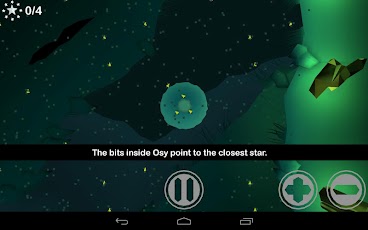
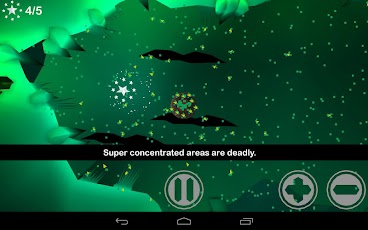
It could be used as a great way to help teach osmosis in a fun way.


Osy Osmosis is a fun, educational game where you help Osy stay safe as she navigates through a very cool world collecting stars. The trick is to use osmosis to keep her in balance.
The game is not free ($1.99) but is very good, very fun, and educational. It was developed by researchers and educators and profits go towards creating other educational games.
It could be used as a great way to help teach osmosis in a fun way.
How to Get Students to Pay Attention Using Technology - guest post
To contact us Click HERE

Remember the days when you would sit in a classroomlistening to the monotone voice of a teacher buzzing in the air and fight about of sleepiness? How many times didyou have to mentally shake yourself awake or wish that bell would ring?
Today, however, teachers can engage their students in avariety of ways using technology. Manyteachers have found that the implement of educational technology in theirlearning environment encourages students to learn. If you are looking for ideas to attract yourstudents’ attention, here are some things to consider.
Learning ManagementSystems
Learning management systems use a variety of technologytools to keep students interested in the subject being taught. These systems may combine the use of onlinevideos, clickers, managing groups, and blackboards to encourage classparticipation. Teachers can monitorstudents’ responses and upload related material within seconds to everystudent’s monitor or tablet. One of the advantages of using learning management systemsis that you can learn more about your students’ individual learningstyles. As you know, some students learnbest through auditory methods while others learn better when they use hands-onmethods. These systems use a combinationof teaching methods which engage students, regardless of their learningstyle. You can incorporate colorfulimages, videos, and text that catch students’ attention and keep thementertained as they are learning. Students can also use their monitor to send feedback and questions toyou instead of raising their hand. Thisfacilitates more student participation since some students do not feelcomfortable drawing attention to themselves in the classroom, and builds uponthe teacher/student relationship.
EducationalTechnology Instigates Learning
Using educational technology in your classroom willinstigate learning among your students, encouraging themto explore the world around them and think about what they are seeing andhearing. Ideas of how to engage students that partner excellently with LMS arediscussed thoroughly by JeffDunn on edudemic.com in a recent and well utilized article. His approach tolearning is based around the ideas that though we have these tools to use,there are still ways to keep students engaged instead of distracted.
Personal Response Systems
Personal response systems, also simply known as clickers,are an effective tool in the classroom. Similar to those used on game shows, you can show students a question onthe large screen and then ask them to click in their answer. The answers immediately alert you to conceptsthat the students are struggling with, so that you can slow down the day’s lessonto explain the concept in greater detail. In this way, instruction becomes more customized and students will beable to comprehend issues that in a traditional setting they would havestruggled with.
Desktop Sharing
Every teacher has at least one or two students (maybe more)in their class who never speak up. Forsome students, the idea of speaking out loud in a classroom is just toostressful. For others, they may worrythat students will laugh at them, or they may struggle with putting theirthoughts into speech. Desktop sharingcan bridge those gaps, giving students another alternative tospeaking—writing. Writing givesstudents time to think about what they want to say and then correct theirspeech as they write down their opinion, strengthening their writingskills.
PresentationTechnology
Technology can encourage the creative side of yourstudents. For example, you could formgroups and then assign them to come up with a presentation of a specificconcept, or topic, using technology. This gives students the opportunity to apply what you have been teachingthem and then expand upon the information, conducting independent research andputting that data into a visual presentation using a variety of programs. Students learn to work together, preparingthem for a work environment, and gives them experience with public speakingwhile letting them put their own angle on the subject. For instance, if you were teaching a history class and thefocus was on World War II, you could assign one group of students to puttogether a presentation on German battle strategy, one group to focus onAmerican strategy, and one group to talk about British strategy.
Author Bio
Engaging lessons, keeping students active and part of the class, and using projects.
Remember the days when you would sit in a classroomlistening to the monotone voice of a teacher buzzing in the air and fight about of sleepiness? How many times didyou have to mentally shake yourself awake or wish that bell would ring?
Today, however, teachers can engage their students in avariety of ways using technology. Manyteachers have found that the implement of educational technology in theirlearning environment encourages students to learn. If you are looking for ideas to attract yourstudents’ attention, here are some things to consider.
Learning ManagementSystems
Learning management systems use a variety of technologytools to keep students interested in the subject being taught. These systems may combine the use of onlinevideos, clickers, managing groups, and blackboards to encourage classparticipation. Teachers can monitorstudents’ responses and upload related material within seconds to everystudent’s monitor or tablet. One of the advantages of using learning management systemsis that you can learn more about your students’ individual learningstyles. As you know, some students learnbest through auditory methods while others learn better when they use hands-onmethods. These systems use a combinationof teaching methods which engage students, regardless of their learningstyle. You can incorporate colorfulimages, videos, and text that catch students’ attention and keep thementertained as they are learning. Students can also use their monitor to send feedback and questions toyou instead of raising their hand. Thisfacilitates more student participation since some students do not feelcomfortable drawing attention to themselves in the classroom, and builds uponthe teacher/student relationship.
EducationalTechnology Instigates Learning
Using educational technology in your classroom willinstigate learning among your students, encouraging themto explore the world around them and think about what they are seeing andhearing. Ideas of how to engage students that partner excellently with LMS arediscussed thoroughly by JeffDunn on edudemic.com in a recent and well utilized article. His approach tolearning is based around the ideas that though we have these tools to use,there are still ways to keep students engaged instead of distracted.
Personal Response Systems
Personal response systems, also simply known as clickers,are an effective tool in the classroom. Similar to those used on game shows, you can show students a question onthe large screen and then ask them to click in their answer. The answers immediately alert you to conceptsthat the students are struggling with, so that you can slow down the day’s lessonto explain the concept in greater detail. In this way, instruction becomes more customized and students will beable to comprehend issues that in a traditional setting they would havestruggled with.
Desktop Sharing
Every teacher has at least one or two students (maybe more)in their class who never speak up. Forsome students, the idea of speaking out loud in a classroom is just toostressful. For others, they may worrythat students will laugh at them, or they may struggle with putting theirthoughts into speech. Desktop sharingcan bridge those gaps, giving students another alternative tospeaking—writing. Writing givesstudents time to think about what they want to say and then correct theirspeech as they write down their opinion, strengthening their writingskills.
PresentationTechnology
Technology can encourage the creative side of yourstudents. For example, you could formgroups and then assign them to come up with a presentation of a specificconcept, or topic, using technology. This gives students the opportunity to apply what you have been teachingthem and then expand upon the information, conducting independent research andputting that data into a visual presentation using a variety of programs. Students learn to work together, preparingthem for a work environment, and gives them experience with public speakingwhile letting them put their own angle on the subject. For instance, if you were teaching a history class and thefocus was on World War II, you could assign one group of students to puttogether a presentation on German battle strategy, one group to focus onAmerican strategy, and one group to talk about British strategy.
Author Bio
Engaging lessons, keeping students active and part of the class, and using projects.
11 Ekim 2012 Perşembe
EdTech Link
To contact us Click HERE
by Shelly Blake-Plock
This year has been one of transition for me as I shifted from working full time in the secondary classroom to working online virtually with kids and on the ground throughout the country with educators and technologists.
This last November I had a long conversation with Andrew Coy, a public school teacher here in Baltimore. We talked a lot about the variety of ways that the traditional school format was having trouble keeping up with the changes going on culturally and socio-economically with regards to digital literacy and tech access.
We came to a fundamental conclusion that one of the hurdles urban youth face is having the opportunity and support to actually see themselves as engaged content creators and tech-space makers and doers. It has to do with identity, access, and having a network that will support you. It's a cruel irony that so many of our kids are natural innovators and entrepreneurs but so little of our curricula encourage new thinking and new ways of doing things.
And so, we decided that we would do something about this.
This evening, Andrew and I are holding a fundraiser for a program that will connect students, teachers, and technologists in ways that encourage collaboration, the spread of digital literacy, innovative and creative thinking, and the development of new open source technologies driven by real digital age classroom experience.
Andrew and I have accepted positions as co executive directors of the Digital Harbor Foundation, a recently formed nonprofit based in Baltimore. In our role, we are designing and rolling out a new program called EdTech Link.
Converting an under-used city rec center into a nonprofit community tech center, we will develop digital capacity in students and teachers while offering outreach in innovation, tech advancement, and entrepreneurship designed to empower communities long under-served.
Students will be enrolled in an afterschool program defined by their passions in life. Our curriculum is designed to teach digital literacy and tech workforce skills while kids learn and develop new understandings about the things that motivate them. Students then have the opportunity to "get paid to think" in the evening as they take on the role of reverse-mentors teaching digital literacy and tech workforce development skills to their parents and adults in the community -- all this with the support and guidance of teachers and volunteer technologists.
A select group of city public school teachers, meanwhile, will be chosen as EdTech Link Fellows. They will receive a stipend and tech support as they take part in intensive edtech professional development and run afterschool tech and innovation programs in their schools across the city.
Additionally, in the summer time, teacher-fellows will work directly in collaboration with technologists in our local tech incubators to develop new open source education technologies based directly on their experiences and needs in the classroom. For generations, teachers have had few "ladders" available in their career: one either stayed in the classroom or became an administrator. Now, with the rise of professional online technologies, networks, and communities of practice, we have more ladders available to us; our task then is to help teachers develop into teacherpreneurs whose sense of practical innovation and open social entrepreneurship changes the face of both education and technology.
Just two weekends ago we had two brilliant teachers in from Cleveland. And in the course of 72 hours we built a new model open source technology for collecting and coding qualitative data. That's the skill of the social entrepreneur in education.
And so I'm entering into uncharted waters. I'll be spending my time working directly with students and teachers on the ground while also working with technologists to bring the work we are doing in Baltimore to the online space where learners everywhere can be part of our community.
New thinking means new thinking. And I've found myself in the position of actually being able to put to the test all of the ideas that have percolated in my mind and on this blog for years. And I'm going to make the most of this.
I want to take just a moment to thank the educators, technologists, and organizers who have accepted positions on our Advisory Board -- Alec Couros, Chris Lehmann, Mary Beth Hertz, Steven W. Anderson, Rodney Foxworth, Dean Groom, Christine Johnson, Tom Murdock, Susan Malone, and Christopher Sessums. They are the folks who will keep us focused like a laser on making something relevant to the lives of kids and their teachers. I also would like to thank the folks whose sense of innovation, technology, and education make up the sustainable heart of our Board of Trustees -- Sean Lane, Chris Hoyt, Craig Cummings, Rachel Charlesworth, Guy Filippelli, and David Stone.
Andrew and I are pretty darned excited about where things are headed, and we want to thank all of you for making up the network that makes this all possible.
From Baltimore,
Shelly
ps -- Here's some more info about EdTech Link...
An article on Mind/Shift describing the program.
Info on MarketWatch about EdTech Link.
And, of course, a link to our website and our @DHFBaltimore twitter feed.
This year has been one of transition for me as I shifted from working full time in the secondary classroom to working online virtually with kids and on the ground throughout the country with educators and technologists.
This last November I had a long conversation with Andrew Coy, a public school teacher here in Baltimore. We talked a lot about the variety of ways that the traditional school format was having trouble keeping up with the changes going on culturally and socio-economically with regards to digital literacy and tech access.
We came to a fundamental conclusion that one of the hurdles urban youth face is having the opportunity and support to actually see themselves as engaged content creators and tech-space makers and doers. It has to do with identity, access, and having a network that will support you. It's a cruel irony that so many of our kids are natural innovators and entrepreneurs but so little of our curricula encourage new thinking and new ways of doing things.
And so, we decided that we would do something about this.
This evening, Andrew and I are holding a fundraiser for a program that will connect students, teachers, and technologists in ways that encourage collaboration, the spread of digital literacy, innovative and creative thinking, and the development of new open source technologies driven by real digital age classroom experience.
Andrew and I have accepted positions as co executive directors of the Digital Harbor Foundation, a recently formed nonprofit based in Baltimore. In our role, we are designing and rolling out a new program called EdTech Link.
Converting an under-used city rec center into a nonprofit community tech center, we will develop digital capacity in students and teachers while offering outreach in innovation, tech advancement, and entrepreneurship designed to empower communities long under-served.
Students will be enrolled in an afterschool program defined by their passions in life. Our curriculum is designed to teach digital literacy and tech workforce skills while kids learn and develop new understandings about the things that motivate them. Students then have the opportunity to "get paid to think" in the evening as they take on the role of reverse-mentors teaching digital literacy and tech workforce development skills to their parents and adults in the community -- all this with the support and guidance of teachers and volunteer technologists.
A select group of city public school teachers, meanwhile, will be chosen as EdTech Link Fellows. They will receive a stipend and tech support as they take part in intensive edtech professional development and run afterschool tech and innovation programs in their schools across the city.
Additionally, in the summer time, teacher-fellows will work directly in collaboration with technologists in our local tech incubators to develop new open source education technologies based directly on their experiences and needs in the classroom. For generations, teachers have had few "ladders" available in their career: one either stayed in the classroom or became an administrator. Now, with the rise of professional online technologies, networks, and communities of practice, we have more ladders available to us; our task then is to help teachers develop into teacherpreneurs whose sense of practical innovation and open social entrepreneurship changes the face of both education and technology.
Just two weekends ago we had two brilliant teachers in from Cleveland. And in the course of 72 hours we built a new model open source technology for collecting and coding qualitative data. That's the skill of the social entrepreneur in education.
And so I'm entering into uncharted waters. I'll be spending my time working directly with students and teachers on the ground while also working with technologists to bring the work we are doing in Baltimore to the online space where learners everywhere can be part of our community.
New thinking means new thinking. And I've found myself in the position of actually being able to put to the test all of the ideas that have percolated in my mind and on this blog for years. And I'm going to make the most of this.
I want to take just a moment to thank the educators, technologists, and organizers who have accepted positions on our Advisory Board -- Alec Couros, Chris Lehmann, Mary Beth Hertz, Steven W. Anderson, Rodney Foxworth, Dean Groom, Christine Johnson, Tom Murdock, Susan Malone, and Christopher Sessums. They are the folks who will keep us focused like a laser on making something relevant to the lives of kids and their teachers. I also would like to thank the folks whose sense of innovation, technology, and education make up the sustainable heart of our Board of Trustees -- Sean Lane, Chris Hoyt, Craig Cummings, Rachel Charlesworth, Guy Filippelli, and David Stone.
Andrew and I are pretty darned excited about where things are headed, and we want to thank all of you for making up the network that makes this all possible.
From Baltimore,
Shelly
ps -- Here's some more info about EdTech Link...
An article on Mind/Shift describing the program.
Info on MarketWatch about EdTech Link.
And, of course, a link to our website and our @DHFBaltimore twitter feed.
Creating Effective Passwords
To contact us Click HERE
By Steve Katz
http://www.stevenkatz.com/
I have been giving a lot of password advice at work lately, & over the years I’ve read several different ways to invent passwords. I think I have a pretty good system for creating them. Here it is:1. Come up with a password that has absolutely no significance. I call this the “root password.” Use at least six characters. More is better. So is a variety of letters, numbers, & symbols. example: k5$3b4
2. Memorize it. (You can write it down somewhere without worrying about it. Read on.)
3. For whatever site you need a password for, take two characters from that site’s name and then add them to the root password. Use the same system for all sites.For example, you can use the first two letters of a site’s name. Facebook = fa, YouTube = yo Add them to the beginning of your root password and your password for Facebook becomes fak5$3b4, YouTube is yok5$3b4.There are an infinite number of variations for this. You could use the first and last letters of a site’s name, second & third, capitalize them, add them to the end or in the middle of your password, or split them with a punctuation mark.This system has worked for me. My passwords are different for all sites & they are easy for me to remember.Two more bits of advice: If you use a mobile device make sure the characters you choose for your root password are easy to access. On my laptop the percent symbol, %, is just a shift key away, but on my iPad it takes three taps. It is still a good idea to change your password regularly. When you change your passwords simply vary your system or root password.If you would like to check you password strength, passwordmeter.com can do this and also gives some ideas for creating a stronger (root) password.
Cross-posted on my blog.
http://www.stevenkatz.com/
I have been giving a lot of password advice at work lately, & over the years I’ve read several different ways to invent passwords. I think I have a pretty good system for creating them. Here it is:1. Come up with a password that has absolutely no significance. I call this the “root password.” Use at least six characters. More is better. So is a variety of letters, numbers, & symbols. example: k5$3b4
2. Memorize it. (You can write it down somewhere without worrying about it. Read on.)
3. For whatever site you need a password for, take two characters from that site’s name and then add them to the root password. Use the same system for all sites.For example, you can use the first two letters of a site’s name. Facebook = fa, YouTube = yo Add them to the beginning of your root password and your password for Facebook becomes fak5$3b4, YouTube is yok5$3b4.There are an infinite number of variations for this. You could use the first and last letters of a site’s name, second & third, capitalize them, add them to the end or in the middle of your password, or split them with a punctuation mark.This system has worked for me. My passwords are different for all sites & they are easy for me to remember.Two more bits of advice: If you use a mobile device make sure the characters you choose for your root password are easy to access. On my laptop the percent symbol, %, is just a shift key away, but on my iPad it takes three taps. It is still a good idea to change your password regularly. When you change your passwords simply vary your system or root password.If you would like to check you password strength, passwordmeter.com can do this and also gives some ideas for creating a stronger (root) password.
Cross-posted on my blog.
Edutopia: on 'How Did School Do?'
To contact us Click HERE
by Shelly Blake-Plock
Edutopia published a guest post of mine today about the 'How Did School Do' project. Here's a snippet...
Edutopia published a guest post of mine today about the 'How Did School Do' project. Here's a snippet...
It wasn’t long ago that language arts teacher Wheeler and his Lakewood City School District biology-teaching colleague Ken Kozar –- along with a class of eager 10th graders –- realized that certain questions weren’t being asked online. And one question above all resonated with teacher and student alike: How did school do?Read the whole article at Edutopia.
We Can't Define Social Media
To contact us Click HERE
by John T. Spencer
Educators clamor for open access to social media in schools. We (including me) write about the need to teach digital citizenship to the digital natives. And yet . . . how do we even define social media? I witnessed many metaphors yesterday and each one of them seemed to suggest that we are attempting to find things in our physical world in order to make sense out of the digital.
I'm not sure it does make sense. At least not to me.
LocationShould we view social media as a public location? If so, does it matter where one tweets from if he or she is "on Twitter?" Is it about the network? the equipment? If it is a space, is it truly public? Does it make a difference that someone must willfully follow a person on Twitter or "friend" a person on Facebook? My speech is, in this sense, less public than it would be at a supermarket or a baseball game.
Defining social media through the lens of location becomes tricky, though. Twitter is, on some level, a spaceless space. It is real-time, but not bound by time. My words do not evaporate the way they do in conversation. Instead, I leave a ticker-tape of thoughts behind me for anyone to pick up asynchronously. In addition, social media allow users to be in many places at the same time in a way that is simply not possible without a horcrux (Harry Potter reference).
If I can speak openly about my faith at Starbucks with a group of friends then what changes if it in a tweet instead? The size of the group, perhaps? What size is large enough to be "broadcast?" If this is the case, it would seem that the larger issue is less about the Establishment Clause than the right to assemble publicly.
Content
Should we view social media as the tools we use for the content that we produce? Is it similar to writing a book, publishing a magazine, posting a blog? What makes a tweet different from a bumper sticker in a staff parking lot, where a student might see political, personal or religious speech? How are my Instagram pictures any different from putting photography in a museum?
The difficulty here is that the content is more accesible than in other forms of media. It is public, open to the entire world anywhere at any time. And unlike other media outlets, it is one in which the creators of the content do not have any voice in who owns the method.
If so, then are the issues of free exercise and the establishment clause really relevant to social media? At this point, it seems that it would be more an issue of the freedom of the press. It is hard to deny the power of the pocket journalists in the Arab Spring who used social media to report on the issues in the world.
CommunicationShould we view social media as a method of communicating? Is it simply another form of conversation, not unlike body language, voice, text, etc.? When I'm tweeting am I simply having a conversation with whoever cares to listen?
The problem here is that social media doesn't work like traditional forms of communication. The permanence, the broadcast nature of each medium, the difficulty in determining who is "listening" make it challenging. Moreover, it becomes even more challenging when it social media, by nature, are multimedia. Twitter involves videos, pictures, symbols, text, all moving digitally.
IdentityShould we view social media as an expression of one's identity? We use terms like digital citizenship, online identity and branding, which all suggest that social media moves beyond simply communicating and into "being."
The problem here is that it is easier online to choose anonymity and to craft identity in ways that are much more difficult in person. In addition, social media force the individual to create separate accounts if he or she wants to compartmentalize. I am always a teacher at school. It is my identity. My speech changes when I am off the clock, outside of school.
I see a real danger in the notion that employers (especially if it is the government) essentially "owns" a person at all times when he or she uses social media. When the speech is permanent (as it is) and the profile is static (as it is), I don't have the chance to switch roles and responsibilities.
What does it mean, then, to protect the personal side of a teacher (or any worker) online? At what point does a teacher still represent a school even when he or she is "away" from that context?
Educators clamor for open access to social media in schools. We (including me) write about the need to teach digital citizenship to the digital natives. And yet . . . how do we even define social media? I witnessed many metaphors yesterday and each one of them seemed to suggest that we are attempting to find things in our physical world in order to make sense out of the digital.
I'm not sure it does make sense. At least not to me.
LocationShould we view social media as a public location? If so, does it matter where one tweets from if he or she is "on Twitter?" Is it about the network? the equipment? If it is a space, is it truly public? Does it make a difference that someone must willfully follow a person on Twitter or "friend" a person on Facebook? My speech is, in this sense, less public than it would be at a supermarket or a baseball game.
Defining social media through the lens of location becomes tricky, though. Twitter is, on some level, a spaceless space. It is real-time, but not bound by time. My words do not evaporate the way they do in conversation. Instead, I leave a ticker-tape of thoughts behind me for anyone to pick up asynchronously. In addition, social media allow users to be in many places at the same time in a way that is simply not possible without a horcrux (Harry Potter reference).
If I can speak openly about my faith at Starbucks with a group of friends then what changes if it in a tweet instead? The size of the group, perhaps? What size is large enough to be "broadcast?" If this is the case, it would seem that the larger issue is less about the Establishment Clause than the right to assemble publicly.
Content
Should we view social media as the tools we use for the content that we produce? Is it similar to writing a book, publishing a magazine, posting a blog? What makes a tweet different from a bumper sticker in a staff parking lot, where a student might see political, personal or religious speech? How are my Instagram pictures any different from putting photography in a museum?
The difficulty here is that the content is more accesible than in other forms of media. It is public, open to the entire world anywhere at any time. And unlike other media outlets, it is one in which the creators of the content do not have any voice in who owns the method.
If so, then are the issues of free exercise and the establishment clause really relevant to social media? At this point, it seems that it would be more an issue of the freedom of the press. It is hard to deny the power of the pocket journalists in the Arab Spring who used social media to report on the issues in the world.
CommunicationShould we view social media as a method of communicating? Is it simply another form of conversation, not unlike body language, voice, text, etc.? When I'm tweeting am I simply having a conversation with whoever cares to listen?
The problem here is that social media doesn't work like traditional forms of communication. The permanence, the broadcast nature of each medium, the difficulty in determining who is "listening" make it challenging. Moreover, it becomes even more challenging when it social media, by nature, are multimedia. Twitter involves videos, pictures, symbols, text, all moving digitally.
IdentityShould we view social media as an expression of one's identity? We use terms like digital citizenship, online identity and branding, which all suggest that social media moves beyond simply communicating and into "being."
The problem here is that it is easier online to choose anonymity and to craft identity in ways that are much more difficult in person. In addition, social media force the individual to create separate accounts if he or she wants to compartmentalize. I am always a teacher at school. It is my identity. My speech changes when I am off the clock, outside of school.
I see a real danger in the notion that employers (especially if it is the government) essentially "owns" a person at all times when he or she uses social media. When the speech is permanent (as it is) and the profile is static (as it is), I don't have the chance to switch roles and responsibilities.
What does it mean, then, to protect the personal side of a teacher (or any worker) online? At what point does a teacher still represent a school even when he or she is "away" from that context?
Cell Phones Don't Annoy People; People Annoy People.
To contact us Click HERE
By Noah Geisel (@SenorG)
Last week, I joined fans of public radio’s This American Life, in shelling out twenty bucks to go to the movie theater for a live taping of the program. Host Ira Glass drew laughs when he talked about the many theater managers nervous that we was encouraging viewers to take out their cell phones during the show. While he was going for laughs, he was dead serious about letting folks fill the theater rooms with screen glow. Dozens of audience members in hundreds of theaters across two continents simultaneously pulled out their smart phones and fired up the app that had been created specifically for this show. Glass introduced the band OK Go, known more for their groundbreaking music videos than pop melodies. The gimmick-geared musicians did not disappoint. The easiest way I can describe the experience: the band played music and with the app the audience played Guitar Hero to accompany them. I think the consensus was that it was pretty cool stuff.
At the end of the song, folks put their phones away and the show, as they say, went on.
Cell phones have become Enemy #1 in subways, movie theaters and pretty much every public space. OK Go and This American Life provide an excellent example of how mobile technology can be mobilized for positive disruption. They succeed in showing that the negative disruptions are a product of the users, not the phones.
This is a good lesson for schools and educators to note. In edu-speak, controlling the impact of cell phones is a classroom management issue, not a cell phone issue. This does not necessarily mean educators need to be incorporating mobile into their lessons (though many readers of this blog probably do); rather, that we are at least embedding into our lessons the idea of responsible cell phone citizenship. Modeling the positive disruptions a la Ira Glass is one of many ways of fostering this important learning.
Last week, I joined fans of public radio’s This American Life, in shelling out twenty bucks to go to the movie theater for a live taping of the program. Host Ira Glass drew laughs when he talked about the many theater managers nervous that we was encouraging viewers to take out their cell phones during the show. While he was going for laughs, he was dead serious about letting folks fill the theater rooms with screen glow. Dozens of audience members in hundreds of theaters across two continents simultaneously pulled out their smart phones and fired up the app that had been created specifically for this show. Glass introduced the band OK Go, known more for their groundbreaking music videos than pop melodies. The gimmick-geared musicians did not disappoint. The easiest way I can describe the experience: the band played music and with the app the audience played Guitar Hero to accompany them. I think the consensus was that it was pretty cool stuff.
At the end of the song, folks put their phones away and the show, as they say, went on.
Cell phones have become Enemy #1 in subways, movie theaters and pretty much every public space. OK Go and This American Life provide an excellent example of how mobile technology can be mobilized for positive disruption. They succeed in showing that the negative disruptions are a product of the users, not the phones.
This is a good lesson for schools and educators to note. In edu-speak, controlling the impact of cell phones is a classroom management issue, not a cell phone issue. This does not necessarily mean educators need to be incorporating mobile into their lessons (though many readers of this blog probably do); rather, that we are at least embedding into our lessons the idea of responsible cell phone citizenship. Modeling the positive disruptions a la Ira Glass is one of many ways of fostering this important learning.
10 Ekim 2012 Çarşamba
If You're New to the Blog.....
To contact us Click HERE
If this is your first time her, welcome to "A Media Specialist's Guide to the Internet". Here are some quick info-bits about the blog:
Tabs at the top mark specific pages where information is constantly updated.
 Recently updated posts include:
The 2012 Presidential Election- more resources added
eReader Books- added as a page (top) and updated
LIKE WHAT YOU SEE? Why not subscribe to this blog or follow me on Twitter.
Tabs at the top mark specific pages where information is constantly updated.
Recently updated posts include:The 2012 Presidential Election- more resources added
eReader Books- added as a page (top) and updated
LIKE WHAT YOU SEE? Why not subscribe to this blog or follow me on Twitter.
255,800+ FREE Resources: Share My Lesson
To contact us Click HERE
 Looking for tons of resources, including lesson plans, discussions and other learning materials? Share My Lesson is expected to be the largest online resource for teachers in the U.S. The site is divided by age group, with K-2, 3-5, 6-8, 9-12 and special populations. Sections include a resource calendar, highlights and the latest resources posted. Once you join (FREE) you can upload materials to share with other teachers.
Looking for tons of resources, including lesson plans, discussions and other learning materials? Share My Lesson is expected to be the largest online resource for teachers in the U.S. The site is divided by age group, with K-2, 3-5, 6-8, 9-12 and special populations. Sections include a resource calendar, highlights and the latest resources posted. Once you join (FREE) you can upload materials to share with other teachers.You Don't Need to be exquisite But Your Writing Does
To contact us Click HERE
![]()

*** Product Information and Prices Stored: Feb 26, 2012 14:47:20
Having written since I was a kid, I've met many authors, writers and journalists along the way. While we don't all fit the stereotype of the robed, sleepless, alcoholic writer hunched over a typewriter in the attic, we do have much in common. In expanding to being the winners of spelling bees and hoarders of dictionaries and other books, we love words. We love to read them, hear them, speak them and write them. We love them to a fault.
We must have the right words in the right place at the right time. And, possibly more importantly, they must be written flawlessly. We won't accept typos, spelling errors or grammatical snafus, because mistakes interrupt the flow and the meaning of our words. As a result, we expect perfection and we don't tolerate errors from ourselves or others. This religious doctrine makes it difficult to be a writer at times, but we can't help ourselves. We are obsessed with perfection.
Apa Format Example Paper
Living this way can make it difficult to meet deadlines, however, as we await the ideal word, headline or first paragraph. Sometimes we must settle for less. Sometimes we even have to settle for pretty good. It's a harsh reality, but at some point, we have to unblemished our latest assignment or task and turn it in so we can get paid. We have to let go of the perfection we covet, because it isn't going to bless us with its presence today.
You Don't Need to be exquisite But Your Writing DoesMLA Handbook for Writers of Research Papers Best

Rate This Product :

MLA Handbook for Writers of Research Papers Feature
- ISBN13: 9780873529860
- Condition: USED - Very Good
- Notes: 100% Satisfaction Guarantee. Tracking provided on most orders. Buy with Confidence! Millions of books sold!
MLA Handbook for Writers of Research Papers Overview
The MLA Handbook is published by the Modern Language Association, the authority on MLA documentation style. Widely adopted in high schools, colleges, and publishing houses, the MLA Handbook treats every aspect of research writing, from selecting a topic to submitting the completed paper. The expanded, revised, and redesigned sixth edition of the Handbook is a complete, up-to-date guide to documentation style and online research.

Customer Reviews
*** Product Information and Prices Stored: Feb 26, 2012 14:47:20
Our editors, however, see it differently. They will expect perfection, not because they are masochists but because it makes their jobs easier. If our work is flawless, they have less to do. They can focus on other writer's work or planning their next issue or project. To endear ourselves to them (and to get more work), we must dutifully comply. The issue is trying to equilibrium our desire to be perfect with the reality that we will never be. We can come close though by thought about proofreading, editing and fact-checking our work prior to submission. Here's how.
Proofreading-checking for spelling, punctuation, grammatical and formatting errors-can be a tedious, cumbersome task, particularly when attempting to proof your own work, but it can be done. I normally proofread on my computer screen first, development edits as I go. When done, I print off a hard copy and go straight through line by line, reading out loud as I go. I find that I observation errors in print that I don't see on screen, and reading out loud helps me to find words that I've missed or used incorrectly (e.g., there instead of their). For well important assignments, I'll ask person else to proof it as well. In fact, I have an editing buddy with whom I trade proofreading help. I have also tried reviewing the copy backwards and reviewing for a separate item while each pass straight through the text. For example, the first time I read straight through it, I might focus on spelling, the next time on grammar, etc. Make sure you have your dictionary and grammar guide handy too while this stage.
Editing. In expanding to proofreading, I also copyedit my work, meaning I check for misplaced modifiers, tell style, check for flow, etc. This process is more intense than proofreading and can take awhile. It is also difficult to do immediately after finishing an assignment, so I will set it aside until morning when I can look at it with "fresh eyes." Often major errors will jump off the page, begging to be corrected. while this phase, you'll need to have your handy stylebook out (Ap, Apa, Chicago by hand of Style, etc.) to be sure that you've followed the accepted guidelines for things like capitalization, numbers (figures versus text) and references.
Fact-checking. Many publications, particularly magazines, will fact-check your work. In other words, they'll verify the spelling of allowable names, check dates, key facts, website addresses, phone numbers and more. While publications often hire person to do this task, by doing it yourself first, you can save the publication time and money, again development it easier to work with you. When I fact-check my writing, I first double-check the spelling of all names and places. I look at reference materials (brochures, bios, enterprise cards, etc.) that I've been given, and I search online. If I am unsure, I'll phone the traditional source to confirm a spelling. I do the same thing with dates. For key facts, I do an Internet search, marking my source to either contribute to the fact-checker up front or for my own reference should I be questioned later. This was particularly helpful when I wrote an description about a coal mine explosion in the early 1900s. My editor wanted to confirm that a single mining town was second in size only to Seattle. Before she was willing to allow me to make that statement, she wanted verification.
In spite of these techniques, we are human and it is still possible that an error will occasionally slip straight through the cracks. However, if you are diligent in your effort to submit well-written, well-documented work without definite errors, your editors and publishers will be more likely to turn to you rather than the other guy - you know who I mean - the writer who thinks he's great but who can't spell his way out of a paper bag. Make sure you are the one they turn to for stellar, (nearly) flawless work.
Happy Writing!
Copyright (c) 2007 Dana Blozis
You Don't Need to be exquisite But Your Writing DoesGmail adds great features for multiple language support and use
To contact us Click HERE

Google has just announced some great new features to Gmail that can help teachers communicate with people around the world, as well as help English Language Learners.
The new features include over 100 virtual keyboards and transliteration tools to allow you to type in the language and keyboard layout that you want to, no matter what computer you are on. It is available in Settings > Language > Enable input tools. 75 Languages are now supported.

Once enabled, the Input Tools icon will appear next to the Settings button in the toolbar.

Input Tools are also available in Chrome extension, the Windows desktop client or the Android app.
Related:
Google for Education Resources
Google has just announced some great new features to Gmail that can help teachers communicate with people around the world, as well as help English Language Learners.
The new features include over 100 virtual keyboards and transliteration tools to allow you to type in the language and keyboard layout that you want to, no matter what computer you are on. It is available in Settings > Language > Enable input tools. 75 Languages are now supported.
Once enabled, the Input Tools icon will appear next to the Settings button in the toolbar.
Input Tools are also available in Chrome extension, the Windows desktop client or the Android app.
Related:
Google for Education Resources
What Engineering, the E in STEM, means to K-12 education
To contact us Click HERE
STEM (Science, Technology, Engineering, and Math) is a term used to describe having these four topics integrated into K-12 education. It is an important topic and integrating STEM topics into any class can help students learn and explore. However, many educators aren't sure what this means or how to incorporate STEM topics into their classrooms, especially the "engineering" part.
The Opportunity Equation has a great article, "The “E” in STEM: Clarifying What Engineering Education Means for K-12". This article helps to explain what engineering would look like in K-12 education. Engineering and education experts shared their thoughts about the following questions: What is engineering and what are the essential components that you feel ought to be included in K-12 education? What is the value of engineering education at the K-12 level? What are some examples of promising practices in K-12 engineering education?
This is a great resource to help explain the concept of engineering in K-12 education and how to implement it.
As a former engineer, I use engineering concepts in my classes on a regular basis and I see how it helps my students. I also use engineering concepts in my daily life, showing how important and useful this topic is to anyone.
Related:
STEM Resources for Education
STEM (Science, Technology, Engineering, and Math) is a term used to describe having these four topics integrated into K-12 education. It is an important topic and integrating STEM topics into any class can help students learn and explore. However, many educators aren't sure what this means or how to incorporate STEM topics into their classrooms, especially the "engineering" part.
The Opportunity Equation has a great article, "The “E” in STEM: Clarifying What Engineering Education Means for K-12". This article helps to explain what engineering would look like in K-12 education. Engineering and education experts shared their thoughts about the following questions: What is engineering and what are the essential components that you feel ought to be included in K-12 education? What is the value of engineering education at the K-12 level? What are some examples of promising practices in K-12 engineering education?
This is a great resource to help explain the concept of engineering in K-12 education and how to implement it.
As a former engineer, I use engineering concepts in my classes on a regular basis and I see how it helps my students. I also use engineering concepts in my daily life, showing how important and useful this topic is to anyone.
Related:
STEM Resources for Education
9 Ekim 2012 Salı
CamScanner Turns Your Smartphone into a Scanner and Fax Machine
To contact us Click HERE
 It's the beginning of the school year, and if your school is like mine, you have already been inundated with loads of papers. (Somehow the notion of saving paper with online PDFs didn't happen here) With schedules, rules and regulations etc. everyone has a folder of new "stuff" which can easily be stored. I chose to scan the documents and sent them to the cloud for storage. What did I use? CamScanner.
CamScanner is an app for iPhone and Android phones, which enables your phone to scan and fax documents. The free version has commercials and a limit to how many documents you can scan and the paid version eliminates commercials and allows unlimited scanning. If you are going to use the program a lot, I recommend the paid version, since it's only $4.99.
It's the beginning of the school year, and if your school is like mine, you have already been inundated with loads of papers. (Somehow the notion of saving paper with online PDFs didn't happen here) With schedules, rules and regulations etc. everyone has a folder of new "stuff" which can easily be stored. I chose to scan the documents and sent them to the cloud for storage. What did I use? CamScanner.CamScanner is an app for iPhone and Android phones, which enables your phone to scan and fax documents. The free version has commercials and a limit to how many documents you can scan and the paid version eliminates commercials and allows unlimited scanning. If you are going to use the program a lot, I recommend the paid version, since it's only $4.99.
If You're New to the Blog.....
To contact us Click HERE
If this is your first time her, welcome to "A Media Specialist's Guide to the Internet". Here are some quick info-bits about the blog:
Tabs at the top mark specific pages where information is constantly updated.
Recently updated posts include:
The 2012 Presidential Election- more resources added
eReader Books- added as a page (top) and updated
LIKE WHAT YOU SEE? Why not subscribe to this blog or follow me on Twitter.
Tabs at the top mark specific pages where information is constantly updated.
Recently updated posts include:The 2012 Presidential Election- more resources added
eReader Books- added as a page (top) and updated
LIKE WHAT YOU SEE? Why not subscribe to this blog or follow me on Twitter.
Examples - Mla Format
To contact us Click HERE
![]()

*** Product Information and Prices Stored: Feb 21, 2012 13:25:12
What are Examples of Mla Format? The examples of Mla format are situations that gift discrete format rules to the reader. A good Mla format example involves the idea of a known, particular author. What do you do when citing a source that has only one author named? You would use parentheses within the paper body to cite the author's last name and page name. Such an example would look like this: (Ehrman, 120).
What do you do if there is no known author presented? You would cite the work instead, as well as the page number. A good example of this dilemma would be the following: ("Collecting gold coins," 25). What do you do if two authors share the same last name? If two authors share the same last name, you would write the author's last name with the preliminary of his first name before it. This situation is resolved by the following: (C. Collins, 305) and (S. Collins, 324). What do you do if there are complicated authors in a book? You would cite all three (last names only) in the in-text citation. This guidance results in the followings: (Derek, Fisher, and Longenecker, 518).
Apa Format Example Paper
Other examples of Mla format involve the Works Cited Page (or bibliography). How do you cite a source on the Works Cited Page that has complicated authorship? You would cite all three names: invert the first author's name, and write the other two authors in general order. This results in the following:
Examples - Mla FormatWriting with Style: APA Style for Social Work Best

Rate This Product :
Writing with Style: APA Style for Social Work Overview
WRITING WITH STYLE: APA STYLE FOR SOCIAL WORK, Fourth Edition, applies a proven "learning through modeling" approach to help students master the elements of writing research papers and other professional documents in APA style. In addition to reviewing APA style basics, the text includes numerous writing exercises to help students apply what they learn and hone their skills by practicing writing professional literature. Further support is provided through resources such as sample outlines, title pages, abstracts, and numerous templates included throughout the text as references.Customer Reviews
*** Product Information and Prices Stored: Feb 21, 2012 13:25:12
Derek, Samuel, Ryan Fisher, and John Longenecker. Sociological Studies of Outer Space: Alien Behaviors Among Us. Oxford: Oxford University Press, 2011.
[Note: this book is not an actual book; the citation form is for study purposes only.]
There are other examples of this format, but time will not allow room for consulation here.
Benefits of Examples of Mla Format
One benefit of examples of Mla format is that students can precisely replicate the format style seen in a diagrammed investigate paper layout. When it comes to hands-on work, all students are optic beings and cannot naturally read and decipher words. Students need social demonstrations of hands-on activities. Other benefit of Mla format examples is that they show students that they can devotee Mla format. For many students, mastering the figure of a typical investigate paper is a challenge in and of itself, not to mention the investigate paper format. Mla examples show students that, though the journey may be long, winding, and tedious, the format style can be mastered---and the grade is worth the work.
Examples of Mla format serve to lay out for the students in hands-on language what they are required to do in the modern Language connection format. Now, take those examples and show your professors what you can do!
Examples - Mla FormatPart 1 - The Lost World by Sir Arthur Conan Doyle (Chs 01-07)
To contact us Click HERE
Part 1 - The Lost World by Sir Arthur Conan Doyle (Chs 01-07) Video Clips. Duration : 160.75 Mins.
Part 1. Classic Literature VideoBook with synchronized text, interactive transcript, and closed captions in multiple languages. Audio courtesy of Librivox. Read by Mark F. Smith. Playlist for The Lost World by Sir Arthur Conan Doyle: www.youtube.com
Tags: audiobook, audio, book, prose, classic, literature, cc, ccprose, cc prose, synchronized, text, closed, captions, captioning, subtitles, subs, esl, free, entire, full, complete, foreign, language, translate, translation, video, videobook, mini, minibook, reading, read, learn, english, novel, librivox
Part 1. Classic Literature VideoBook with synchronized text, interactive transcript, and closed captions in multiple languages. Audio courtesy of Librivox. Read by Mark F. Smith. Playlist for The Lost World by Sir Arthur Conan Doyle: www.youtube.com
Tags: audiobook, audio, book, prose, classic, literature, cc, ccprose, cc prose, synchronized, text, closed, captions, captioning, subtitles, subs, esl, free, entire, full, complete, foreign, language, translate, translation, video, videobook, mini, minibook, reading, read, learn, english, novel, librivox
You Don't Need to be exquisite But Your Writing Does
To contact us Click HERE
![]()
*** Product Information and Prices Stored: Feb 26, 2012 14:47:20
Having written since I was a kid, I've met many authors, writers and journalists along the way. While we don't all fit the stereotype of the robed, sleepless, alcoholic writer hunched over a typewriter in the attic, we do have much in common. In expanding to being the winners of spelling bees and hoarders of dictionaries and other books, we love words. We love to read them, hear them, speak them and write them. We love them to a fault.
We must have the right words in the right place at the right time. And, possibly more importantly, they must be written flawlessly. We won't accept typos, spelling errors or grammatical snafus, because mistakes interrupt the flow and the meaning of our words. As a result, we expect perfection and we don't tolerate errors from ourselves or others. This religious doctrine makes it difficult to be a writer at times, but we can't help ourselves. We are obsessed with perfection.
Apa Format Example Paper
Living this way can make it difficult to meet deadlines, however, as we await the ideal word, headline or first paragraph. Sometimes we must settle for less. Sometimes we even have to settle for pretty good. It's a harsh reality, but at some point, we have to unblemished our latest assignment or task and turn it in so we can get paid. We have to let go of the perfection we covet, because it isn't going to bless us with its presence today.
You Don't Need to be exquisite But Your Writing DoesMLA Handbook for Writers of Research Papers Best
Rate This Product :
MLA Handbook for Writers of Research Papers Feature
- ISBN13: 9780873529860
- Condition: USED - Very Good
- Notes: 100% Satisfaction Guarantee. Tracking provided on most orders. Buy with Confidence! Millions of books sold!
MLA Handbook for Writers of Research Papers Overview
The MLA Handbook is published by the Modern Language Association, the authority on MLA documentation style. Widely adopted in high schools, colleges, and publishing houses, the MLA Handbook treats every aspect of research writing, from selecting a topic to submitting the completed paper. The expanded, revised, and redesigned sixth edition of the Handbook is a complete, up-to-date guide to documentation style and online research.Customer Reviews
*** Product Information and Prices Stored: Feb 26, 2012 14:47:20
Our editors, however, see it differently. They will expect perfection, not because they are masochists but because it makes their jobs easier. If our work is flawless, they have less to do. They can focus on other writer's work or planning their next issue or project. To endear ourselves to them (and to get more work), we must dutifully comply. The issue is trying to equilibrium our desire to be perfect with the reality that we will never be. We can come close though by thought about proofreading, editing and fact-checking our work prior to submission. Here's how.
Proofreading-checking for spelling, punctuation, grammatical and formatting errors-can be a tedious, cumbersome task, particularly when attempting to proof your own work, but it can be done. I normally proofread on my computer screen first, development edits as I go. When done, I print off a hard copy and go straight through line by line, reading out loud as I go. I find that I observation errors in print that I don't see on screen, and reading out loud helps me to find words that I've missed or used incorrectly (e.g., there instead of their). For well important assignments, I'll ask person else to proof it as well. In fact, I have an editing buddy with whom I trade proofreading help. I have also tried reviewing the copy backwards and reviewing for a separate item while each pass straight through the text. For example, the first time I read straight through it, I might focus on spelling, the next time on grammar, etc. Make sure you have your dictionary and grammar guide handy too while this stage.
Editing. In expanding to proofreading, I also copyedit my work, meaning I check for misplaced modifiers, tell style, check for flow, etc. This process is more intense than proofreading and can take awhile. It is also difficult to do immediately after finishing an assignment, so I will set it aside until morning when I can look at it with "fresh eyes." Often major errors will jump off the page, begging to be corrected. while this phase, you'll need to have your handy stylebook out (Ap, Apa, Chicago by hand of Style, etc.) to be sure that you've followed the accepted guidelines for things like capitalization, numbers (figures versus text) and references.
Fact-checking. Many publications, particularly magazines, will fact-check your work. In other words, they'll verify the spelling of allowable names, check dates, key facts, website addresses, phone numbers and more. While publications often hire person to do this task, by doing it yourself first, you can save the publication time and money, again development it easier to work with you. When I fact-check my writing, I first double-check the spelling of all names and places. I look at reference materials (brochures, bios, enterprise cards, etc.) that I've been given, and I search online. If I am unsure, I'll phone the traditional source to confirm a spelling. I do the same thing with dates. For key facts, I do an Internet search, marking my source to either contribute to the fact-checker up front or for my own reference should I be questioned later. This was particularly helpful when I wrote an description about a coal mine explosion in the early 1900s. My editor wanted to confirm that a single mining town was second in size only to Seattle. Before she was willing to allow me to make that statement, she wanted verification.
In spite of these techniques, we are human and it is still possible that an error will occasionally slip straight through the cracks. However, if you are diligent in your effort to submit well-written, well-documented work without definite errors, your editors and publishers will be more likely to turn to you rather than the other guy - you know who I mean - the writer who thinks he's great but who can't spell his way out of a paper bag. Make sure you are the one they turn to for stellar, (nearly) flawless work.
Happy Writing!
Copyright (c) 2007 Dana Blozis
You Don't Need to be exquisite But Your Writing Does8 Ekim 2012 Pazartesi
R versus Matlab in Mathematical Psychology
To contact us Click HERE
I recently attended the 2011 Australasian Mathematical Psychology Conference.This post summarises a few thoughts I had on the use of R, Matlab and othertools in mathematical psychology flowing from discussions with researchers atthe conference.
I wanted to get a sense of the software used by researchers in mathematicalpsychology.What was popular?Why was it popular?From the small-n, non-random sample of conference attendees that I spoke to overcoffee and cake, I concluded:
- Many experienced math psych researchers know a bit of both R and Matlab, butmost specialised in one.
- Matlab seemed to be substantially more popular than R in math psych.
- The general attitude seemed to be that both tools offered similarfunctionality.
- Reasons given for using Matlab:
- Consistency: several researchers commented that functions are highlyconsistent in Matlab, making it easier to return to coding in Matlab aftera break.
- Superior built-in documentation: There was a sense that Matlab documentation was more user-friendly.
- Historical precedent: researchers grew up on Matlab and then taught it totheir graduate students.
- Existing packages and models: it seems like Matlab is well established incognitive psychology where substantial existing code to guide subsequentresearchers.
- University pays: Thus, while R is free, Matlab is effectively free to theacademic if the academic's university has a site licence.
- User friendly IDE: In R it seems that most users pretty quickly start playing around withalternative editors, whether it be ESS, Vim and R, Eclipse, Tinn-R orsomething else. In Matlab, the built-in IDE seemed popular.While these external editors can be configured to create a really powerfuldata analytic environment, Matlab users appreciated having something thatwas productive out-of-the-box.
- Matlab is user friendly for implementing matrix algebra basedcalculations.
- Reasons given for using R:
- Free (as in beer)
- Open source: A few people talked about this. However, I got the sensethat the ideology of open source technology could be encouraged further.
- Sweave: Even amongst Matlab users, there was a respect and interest in theidea of Sweave in R
- R's packages: The sheer number of packages particularly for statistics isone of R's great strengths.
- Superior graphics
- A few people also spoke positively of Python (see this summary of useful Python packages for statisticsby Christophe Lalanne.
- All the above links into general discussion of the relative merits of R, Matlab, and Python on SO.
From my discussions, I saw no need for me to personally switch from R to Matlab.Sweave, graphics, and all the R packages are fantastic.The community around R is also one of its great strengths.
- R StackOverflow.
- Rstats on Twitter
- R Help
- R on Cross Validated
- Local R User Groups
- R Bloggers
Finally, open source just aligns better with science.
- Open and freely modifiable source code
- Freely available psychological measurement tools
- Freely available data
- Reproducible research documents using technologies such as Sweave
- Open-access journals
It all combines to support scientific disciplines in sharing and building knowledge through accountability and trust.This applies both to sharing between researchers as well as communicating withthe broader community.
I get a bad feeling when I think of researchers and interested community memberswho can't afford Matlab being excluded from research.
However, it was interesting to consider how issues like user-friendlydocumentation, development environments, and consistency could be facilitated ina massive and distributed open source project such as R.
...END RANT...
Related Posts
- Getting Started with Sweave
- Learning R in Psychology
- Links to Example Sweave Documents
- David Hiebeler's Matlab to R translation document.
R Optimisation Tips using Optim and Maximum Likelihood
To contact us Click HERE
This post summarises some R modelling tips I picked up atAMPC2011.
I got some tips from a tutorial on parameter estimationput on by Scott Brownfrom the Newcastle Cognition Lab.The R code used in the tutorial is available directly hereor from the conference website.
The main tips I took from the tutorial were:
- Consider using BICas a model comparison criterion.
- When modelling reaction times, consider modelling data as a mixture model oftwo processes. One process is the main process of experimental interest andanother is a secondary process that otherwise contributes noise.The secondary process is used to capture what would otherwise be outliers thatflow, particularly, from very slow reaction times observed when participantsget distracted.Probability assigned to the two processescan be specified a priori based on knowledge of the experimental phenomena.In the specific example that Scott showed, the outlier process was given aprobability of 0.03 and this was treated as a uniform distribution between 0and the trial time-out time.
- Consider transformations model parameters for the purpose of estimation andthen converting the transformed parameters back to their original scale.This can facilitate estimation and also assist in enforcing psychologicallymeaningful constraints on parameter values (e.g., ensuring that asymptoticreaction time is greater than zero).
- The combination of the R function
optimand a custom created objectivefunction, such as a minus log-likelihood function provides a powerful tool forparameter estimation of custom models.- Scott Brown's tutorial includes an example ofthis.
- Ajay Shah has an exampleof writing a likelihood function and then getting a maximum likelihoodestimate using
optim. - Benjamin Bolker has great material available on the web from his bookEcological Models and Data in R.PDFs, Rnw, and R code for early versions of the chapters are provided onthe website.Chapter 6 (likelihood and all that), 7 (the gory details of model fitting),and 8 (worked likelihood estimation examples).
- Brian Ripley has a set of slides on simulation and optimisation in R. In particular it provides a useful discussion of the various optimisationalgorithms available using
optim.
- I also got the impression that it will soon be time to dive into WinBUGS.
How to Ask Me a Statistics Question
To contact us Click HERE
This post includes instructions on how to ask me a written statisticsquestion.
The old way
I receive a lot of statistics questions by email.Answering such questions by email is inefficient.
- A lot of questions re-occur.
- Answers only help a single person.
- Senders only get my suggestions, and not suggestions from other experts.
- Sender do not get much feedback on how to improve in the art ofwriting effective questions.
A better way
A better model involves using http://stats.stackexchange.com . It offers many benefits.
- Many experts have an opportunity to provide an answer.
- The questions can be improved and refined.
- Questions and answers are accessible from search engines.Thus, the question and answers become an ongoing Internet resource thatare typically read by many hundreds of people.
- The answers are under a Creative Commons licence which means that they canbe reused in other forms.
- Learning to write effective questions on question and answer sites is animportant skill.
Procedure for asking a question
- Go to http://stats.stackexchange.com/ .
- Create an account
- You can create an account with a non-identifying user name ifyou prefer.
- Read the FAQ.
- Click ASK QUESTION.
- Enter your question title, description, and any relevant tags.
Important things to remember:
- Be prepared to edit your question to provide additional information inresponse to comments; be prepared to respond to people who propose answersand explain why the answer is helpful or not.Asking a question is only the beginning of the process.The people answering the question are volunteers who are often motivatedto create a question and answer combination that will be helpful for othersin the future. You should try to facilitate this process.
- When asking questions, show what initial research you havedone to answer the question (e.g., Google searches, reading a textbook).
- Try to extract the general question out of the specifics of your project,so that answers will be of greater use for future readers.
- Include background information that might be needed in order to answeryour question effectively.
- If your question includes multiple parts, then you may need to askseparate questions.
- If you are concerned about anonymity, create a user name that isnon-identifying, and, if necessary, tweak your question to make anyproject-specific details a little more abstract.
- Your question may be clearer if you break up your question into (a) context;(b) questions; and where appropriate (c) your initial answers.
- If your background is psychology, be aware that users onstats.stackexchange have diverse backgrounds. Clearly explain anypsychological terms or concepts.
Asking me a question
- If you are a research student or academic where I work at the Melbourne Business School, then send me the URL to the question by email, and I will do my best to answer your question.
- For all others, if you don't get a good answer in a few days and you think that I'd be well suitedto answering the question, feel free to send me an email including the webaddress for the question, or post it below.Of course, I can't promise that I'll have time to answer the question.
Using Vim and VimOutliner as a Brainstorming and Outlining Tool
To contact us Click HERE
This post discuses using Vim as an outlining tool.It focuses particularly on VimOutliner.In particular the post(a) discusses reasons why I like outlining tools, (b) presents some links for getting started and installing VimOutliner,(c) presents my verdict on the personal utility of VimOutliner, and(d) presents an assortment of little issues that I encountered and resolved whilelearning to use VimOutliner.
Overview:
I've been a huge fan of outlining tools for more than ten years.It all started when I stumbled on Outline View in MS Word.I tweaked the settings a little bit, reducing the tab width to zero, and addinga few additional shortcut keys and macros.
I used Outline View to do much of my project-related brainstorming.For example, if I had a yes/no decision to make, I'd type the name of theproblem with subheadings: description, yes, no, and decision.The description would articulate the nature of the decision.I'd then put reasons for yes, and reasons for no under their respectiveheadings.This facilitated taking both perspectives.Once I'd reached the decision, I could fold up the decision and move it from apending section to a resolved section.
On a typical project there might 20, 30, or more decisions to bemade.
Using the hierarchical structure of Outline View allowed me to zoom inand out of problems.And this is but one example.I used outlines for brainstorming, articulating problems, recording a log ofevents, organising notes, and more.
Of course, I'm not the first to discover the power of outlining.Outlining is part of many people's brainstorming and thinking toolkit (see Free Mind for an open source mind mapping tool), this post on essay writing strategies,etc.).
The beauty of a tool like Outline View is:
- the ability to quickly manipulate the outline, promoting and demoting elements,moving elements or whole trees up and down, and so on
- the ability to quickly navigate the outline
- the ability to selectively show elements of the outline
- Outline View also had benefits in that it had all the standard tools of MSWord available.
However, Outline View also had problems:
- It was limited to 9 heading levels.
- Large files over about 200,000 words were often sluggish, andsometimes crashed.
- It was difficult to convert the file into other formats.
- It lacked some fold navigation and viewing options, such as collapsing up afold or just showing the folds required to view the current line.
- Many of the keyboard shortcuts for Outline navigation and viewing requiredmovement of the hands from the home key position.
VimOutliner
I previously posted about my transition to using Vim.As part of this transition, I was keen to bring as many tasks as possible intoVim.I saw the appeal of plain text.I wanted to use cross-platform, open source tools.I wanted to take advantage of the power of the text editing keys in Vim.Thus, I wanted to switch from MS Word Outline View to an outliner in Vim.
VimOutliner is amajor outlining tool for Vim. Raymon Li wrote instructions for installing VimOutliner on Windows.
Here are some additional links relevant to Vim, VimOutliner, and outlining morebroadly.
- Steve Lit has a video on VimOutliner
- The VimOutliner Plugin is also available on github
- Discussion of Vim Outlines, Code, and Software by Steve Litt
- Peter Stuifzand wrote about using VimOutliner and GTD
- Org-mode: I also hear great things about Emacs Org-Mode.
- There is also VimOrganiser which isdesigned as a partial clone of Emacs org-mode.
But as of April 2011 it is at the relatively early stages of development.
Evaluation of VimOutliner after 3 months
At the time of posting I've been using Vim for around three months.However, for the last month and half I have settled into a workflow that doesnot involve VimOutliner.Instead, I've switched to using Markdownin Vim with custom folding for my brainstorming.
I'll talk more about my Markdown brainstorming setup at a later date(for an overview of Markdown in Vim, see this video on Vim and Markdownif you're curious).However, in general my preference for using Markdown has largely flowed from thebenefits provided by Vim when working with text file formats.Specifically in MS Word, Outline View relative to Normal View had theadvantage of being able to quickly hide and show the relevant text in ahierarchical document.However, Vim's folding tools can facilitate hiding and showing of text in avariety of text formats.Thus, with Markdown I can write text in a more structured format.The content can more readily be used in other sources, such as blog posts.Yet using Vim I can still hide and show relevant sections of text and movesections around fluidly.
Assorted problems and solutions
The remainder of this post records a few challenges that I encountered whengetting oriented with VimOutliner. I've recorded them here in case they might be useful to others.Bear in mind that they are effectively the working notes of someone new both toVim and VimOutliner.
1. Promote or demote multiple lines
Question:
- How can multiple lines be promoted or demoted?
Discussion:
Visual line selection approach:1. V to enter visual line mode * select lines to be promoted or demoted * > or < to demote or promote* . to repeat, u to undo
Collapsed fold approach:1. collapse a fold (e.g., zc) 2. >> or << to demote or promote
2. Tab width for outline files
Question:
- What is the best tab width for outlines?
- If this is different to the default setting, how can such a change be limitedto Vim Outlines?
Discussion:
Tab width of 2 might be better.
I added the following commands to my Vimrc
au BufEnter *.otl setlocal tabstop = 2au BufEnter *.otl setlocal shiftwidth=23. Using virtualedit
Question:
- Should
virtualeditbe turned off when working with outline mode?
Discussion
Enterin insert mode at the end of a heading line starts a new line withproper indentationoandOin normal mode add new lines below and above the current headingat the same heading level
Thus, vitualedit can be the source of formatting problems.However, with care, this can be prevented, and I like virtualedit enough to notturn it off for this file type.
4. Opening just subheadings
Question:
- How can a collapsed heading only be opened to show the first set of headings?
Discussion:
The documentation for VimOutliner does not mention this.General Vim help on folding (h folding) is relevant.zx and zv are the two relevant key combinations.
5. Add heading below fold at same level as fold
Question
I often edit a fold, fold it up and then want to add another level as a fold.For example, take the following:
text1 text2.1 text2.2 text2.3 text2.4I might want to fold up text1 to hide text2.1 to text2.4 and then want toadd a new heading at the same level as text1 below test2.4.Pressing o adds a line below text2.4 at the same level as text2.4.How do I add a heading below test2.4?
Discussion
- Assume in insert mode
- Ensure cursor is actually on fold:
kj - Move cursor to start of text
^ - Copy preceding tabs
y0 - Collapse headings again
zc - Add line
o - Exit mode
<ESC> - Paste tabs
P - Enter insert mode at end of line
A
And optionally
- Collapse unnecessary folds
<ESC>zx - Return to insert mode
A
Taken together and with some seemingly necessary tweaking, this makes:
au FileType vo_base map <leader>o kjzO^y0zco<Esc>0DPA<Esc>zxAIssues
- It does not work when body text is at the bottom
- it adds an extra body text line
- It sometimes does not work when the outline is corrupted
- it displays various error messages
- It does not work when the heading is not folded
- it leaves a blank line
6. Preventing outline file format corruption
Question
- What kinds of corruption of the outline file format can occur?
- How can this be prevented?
Discussion:
Spaces where tabs should be is a major source of problems.
Outline format uses tabs for indentation.In general, if spaces precede the first printed character, the file formatbecomes corrupted.
The following are common causes of this
- spaces can be inserted by using space instead of tab
- spaces can be inserted when virtual edit is on
Potential Resolutions:
- Prevent
- Disable virtualedit (i.e.,
set virtualedit="").However, I like virtualedit and disabling it for one file type makes myediting experience less consistent. So I chose not to do this. - Follow the rule of always starting a new heading using a limited set of keys:
Enter,o,O. - Always change heading level using standard keys:
- Tab, Ctrl+D, Ctrl+T (insert mode)
>><<(normal mode)
- Avoid leaving blank lines
- If a new heading is created, but no text is entered, delete it beforemoving the cursor.
- The above behaviour could be automated with a substitution command.
- Disable virtualedit (i.e.,
- Diagnose Problem
set listshows whether the characters preceding headings are all^I(set nolist) turns this off.
- Fix
- Manually replace spaces with tabs with assistance from
set list - Use substitution to replace all problematic lines.This could also be linked to an autocommand that automatically checks andfixes problems
- Manually replace spaces with tabs with assistance from
- General Advice
- See this vimtip on highlighting unwanted white spaceIn the case of VimOutliner, this would be any space before the firstprinted character in a line.
Kaydol:
Kayıtlar (Atom)